Environments section
The environments section is where you will be able to create and new rest and production environments. It provides a common view point to manage deployments, settings and secrets across all environments
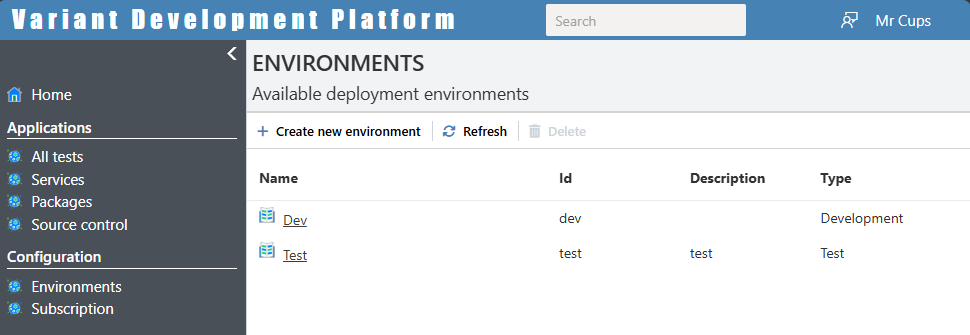
Deleting an environment here will immediately delete ALL provisioned resources pertaining to that environment.
The environment overview
When you click on any environment you get the following view.
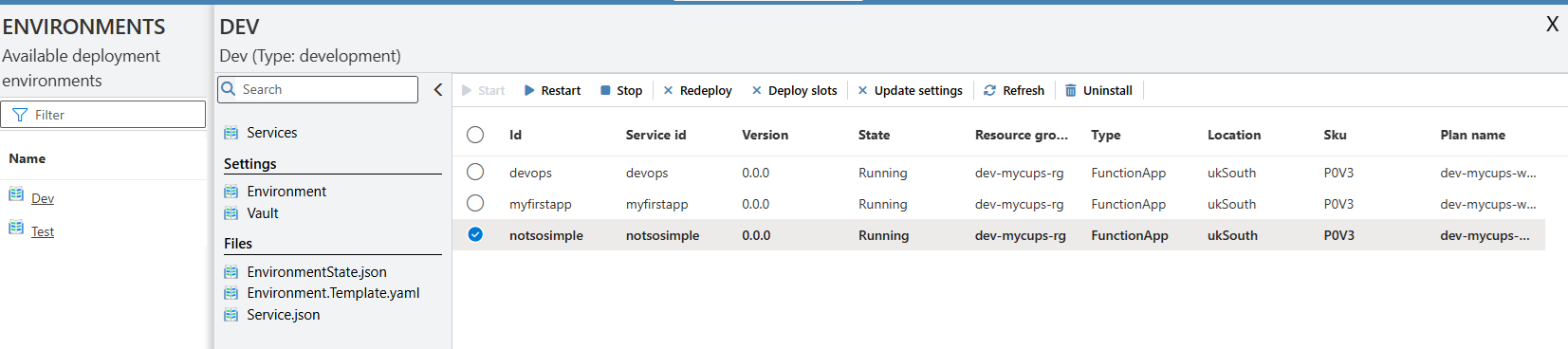 We'll now go through each item in this view:
Services
As can be seen in the above image this displays all the services that are running in this environment and allows you to control those service (Although no deploy a new service - this is done in the Settings->Environment page).
You can perform the following actions on either a single service or a selection of services at the same time:
- Stopping and restarting services:
- Redeploying and uninstalling services: If you are changing a services App service plan then you will need to delete and redeploy the service.
- Updating settings: If you've update any settings in the Settings->Environment file, you can click this to update the settings in Azure and restart the service - No need to redeploy the app.
- Deploy slots: If you have a running service, you can add additional deployment slots with different releases to the service deployment YAML. This allows you to perform actions such as:
- Zero-downtime deployments and rollbacks
- Testing services in a production-like environment
- Traffic routing for canary releases (e.g., an 80/20 split)
- Test status: Only available in test environments. When clicked you can set whether a specific version has failed or passed testing. Failed versions will not be accepted by the framework into production and will no longer be an autogenerated version option in test environments (See update services below).
Depending on the selected service plan, a stopped application in Azure may continue to incur charges due to allocated resources or underlying infrastructure.
Settings:
Environment settings
The environment page displays the environments 'environment.yaml' file as well as common actions that can be performed on that environment. This file contains all the release information required for service deployment as well as shared configuration for infrastructure provisioning.
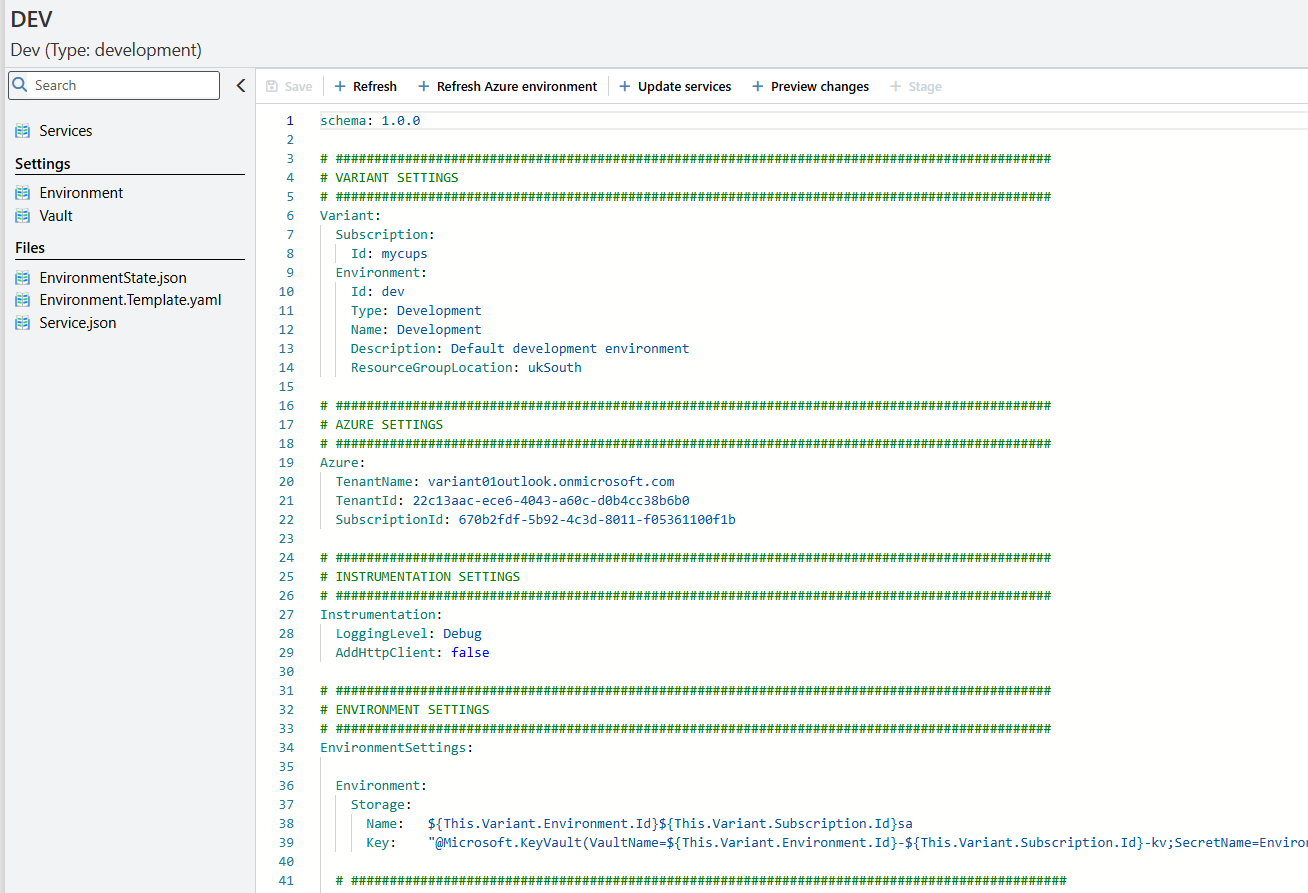
The Variant.Devops service in your subscription also reads and writes to this file. Whenever you deploy or update an application, all configuration and settings of that application in that environment is obtained from this file.
Environment Commands
Refresh Azure environment
Variant is not only a development environment but also has Infrastructure as Code (IaC) capabilities. In the Variant.DevOps service there is code to create and update an existing environment. This can be updated and added to to include the deployment of additional infrastructure such as databases, storage, etc. This code is called when you press this button. As the Variant.DevOps is a versioned service. You can release versioned infrastructure code in the same platform as all your other services.
Update services
When this button is pressed, it compares the current released services (found in environment.state.json file) to what is required (the environments'), checks whether all the app settings needed are found in the environments file and then installs or uninstalls the relevant services.
Below is an example on how services are defined in the environments file. As can be seen multiple versions of the same application can be released in a single environment and in differing locations using different templates.
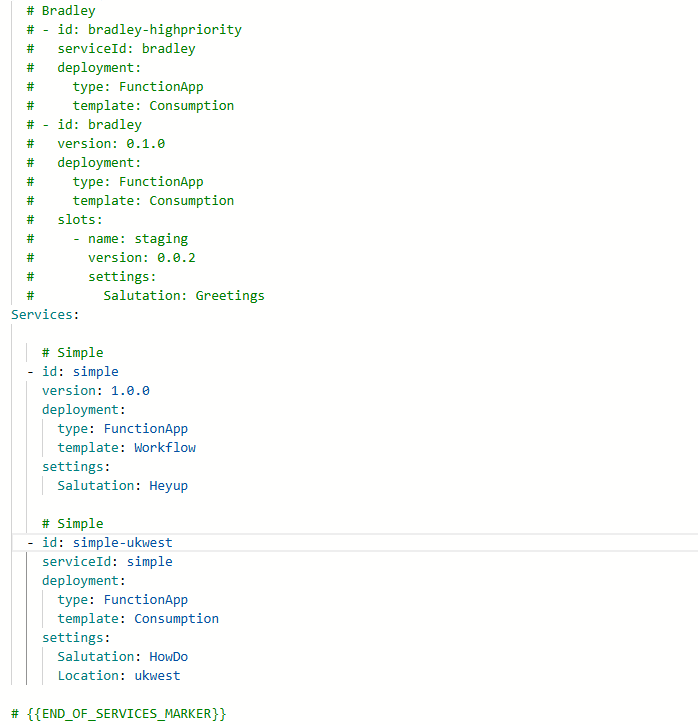
In all test environments if you leave out the version then it will automatically set that to the latest version of that service that hasn't been marker as failed.
Preview services
This button makes the same checks as the Update services button but instead of making changes to the environment it display a dialog box with all the changes that will be made and a list of all the missing service settings.
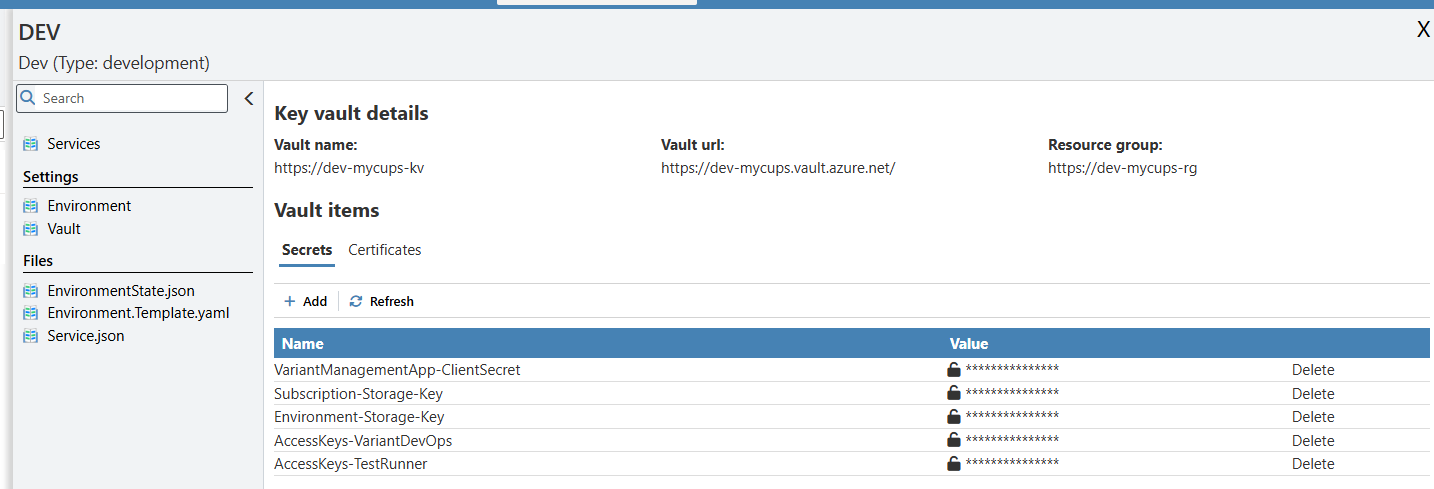
Vault settings
This page allows the viewing and editing of any secrets required for this environment. Only administrators or those with the correct access rights for that specific environment will be allowed to see or update these secrets
Files
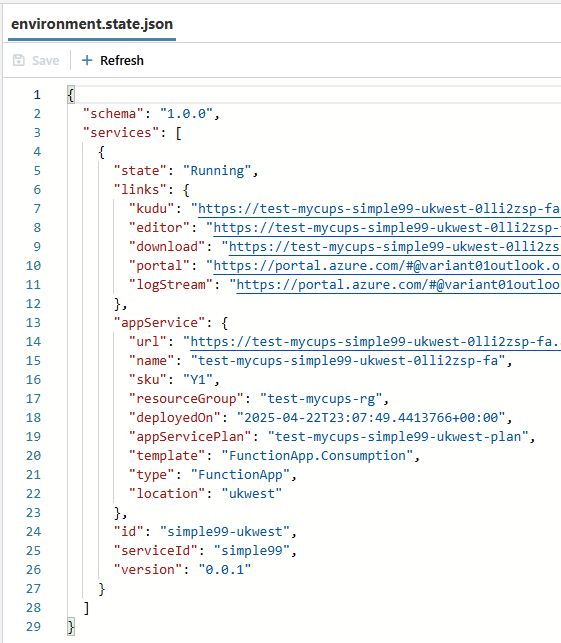
Environment.state.json
This file contains all infrastructure deployment details for all services deployed in this environment.
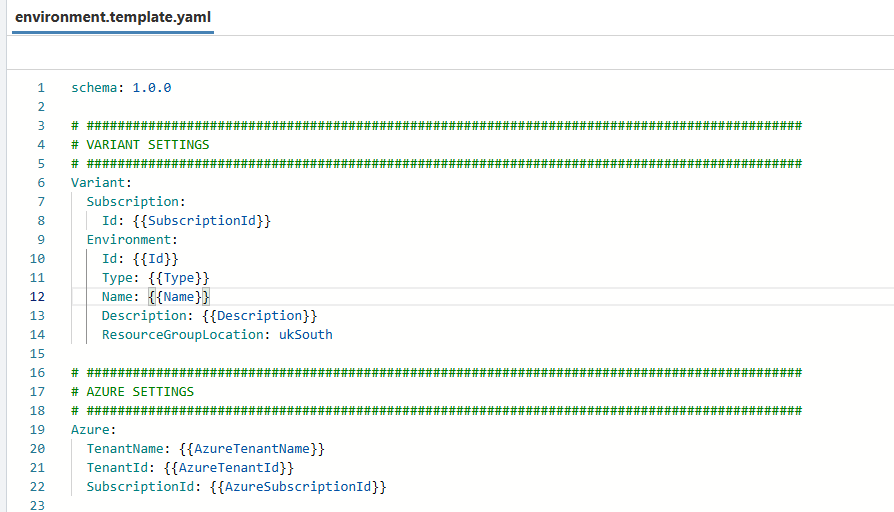
Environment.Template.yaml
When creating a new environment this will be used as the basis for the new environment.yaml file.
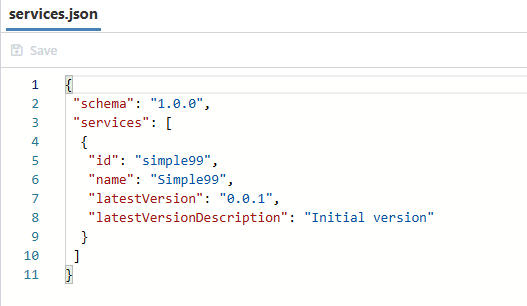
Services.Json
Provides a list of all the released service names and there latest versions: