Step 4 - Creating a release
Once your service is fully tested, you can package it into a release artifact — a ZIP file — ready to be deployed into test and production environments.
This is done from the Service Overview page by clicking the Create Release button:
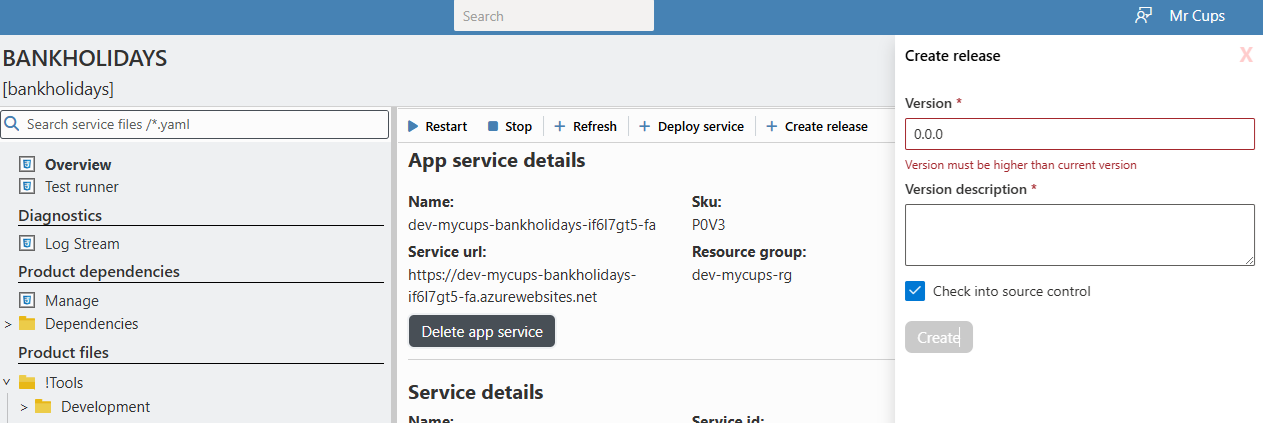
If you have not set up control control information you will nee to uncheck the 'Check into source control'
Update the version number, add a description, and click Create.
If you have not configured source control for your service, uncheck the Check into source control option before creating the release.
Once complete, Variant generates a release artifact that includes both the service code and its associated app settings. This release will now be visible and available for deployment in all test and production environments.
If you have not set up control control information you will nee to uncheck the 'Check into source control'