Creating Your Application from a Template
In this section, we will create a Variant API application, deploy it as an Azure Isolated Function App, and validate it through initial testing.
🚀 Step 1: Create the Application
-
In the Variant dashboard, click Services from the main menu.
-
Click Create New Service.
-
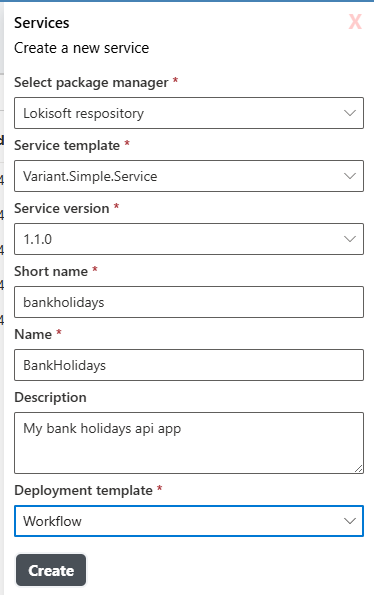
In the creation dialog:
- Select Package Manager:
Lokisoft Repository - Select Service Template:
Variant.Simple.Service - Short name: bankholidays
- Name: BankHolidays
- Description: My bank holiday api app
- Deployment template: Workflow. This is the deployment template for the dev environment only and can be changed in the site-config.json file at any time.
- Select Package Manager:
-
Click Create.
🚀 Step 2: Deploy the Application
- Find the service you just created in the Services list.
- Click on the service name to open it.
- Click the Deploy button at the top of the page.
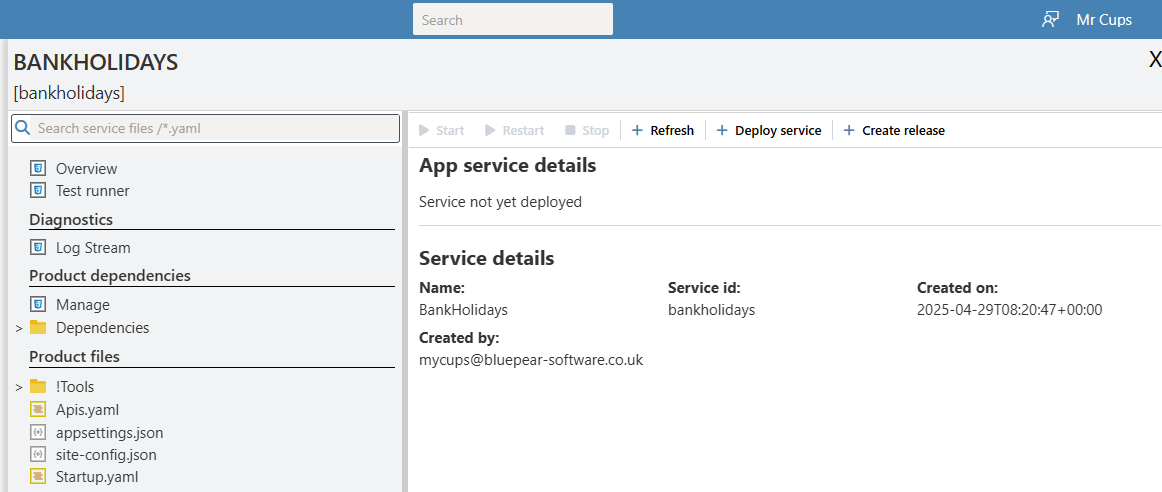
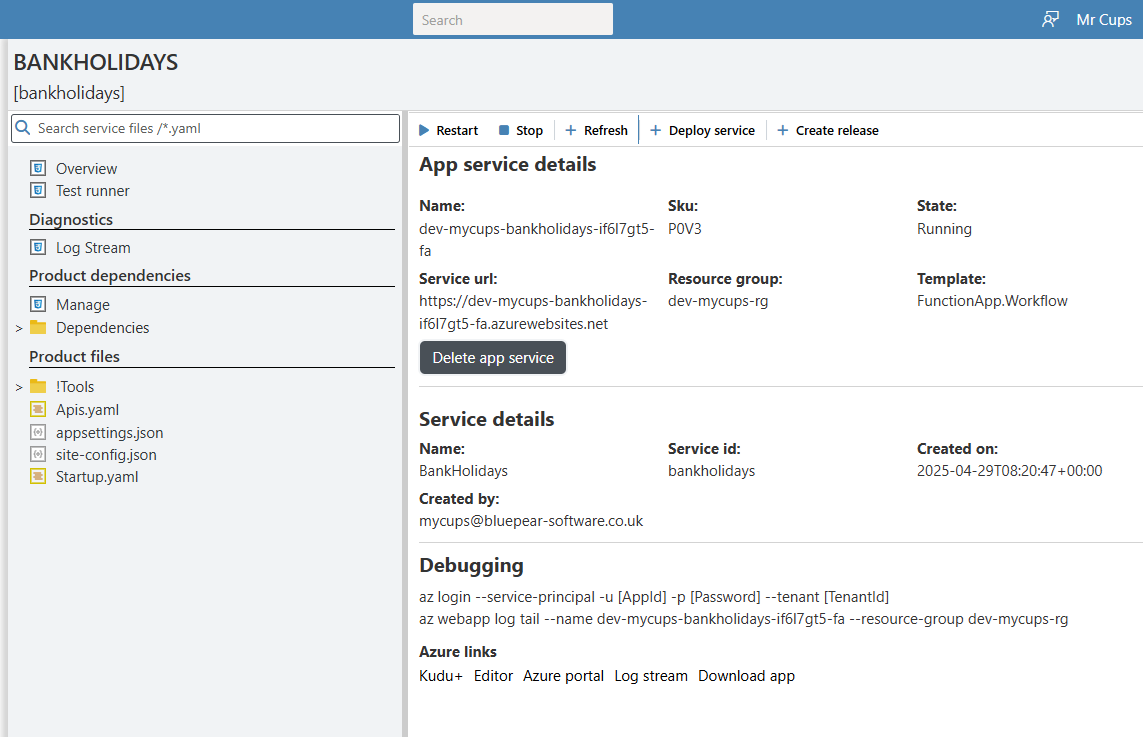
- After deployment finishes, click the Refresh button.
- Confirm that your service is now showing as Deployed:
🧪 Step 3: Smoke Test the Application
- Open the Test Runner from the service’s submenu.
- Click Run Tests.
- Variant will automatically execute:
- Unit tests defined in
!Tools/Tests/!Main.yaml - Example API tests from
Apis.yaml
- Unit tests defined in
- Press refresh and the test results will appear.
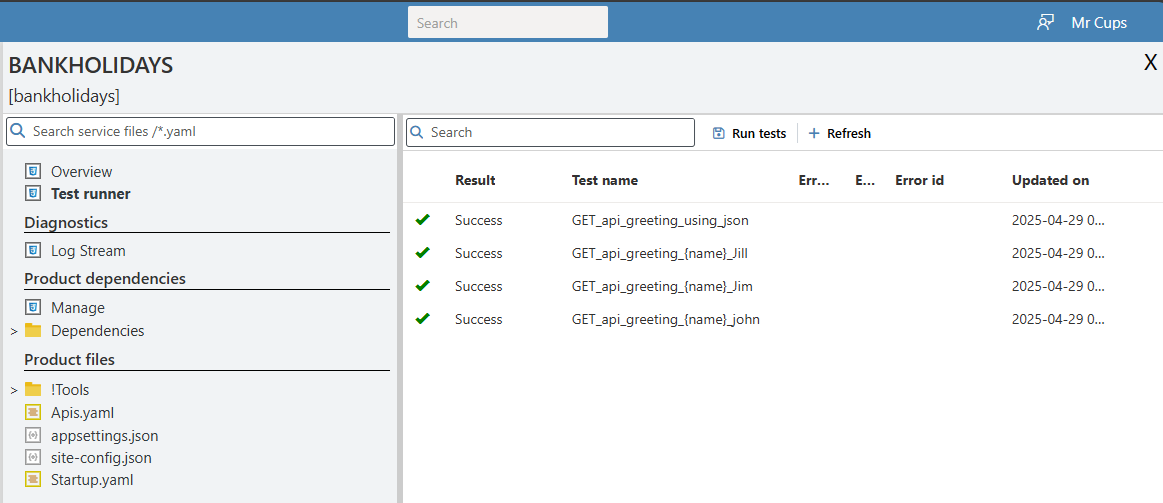
✅ If all tests pass, your application development environment is now successfully set up and ready for extension!
🎁 Bonus: Verify Your API Using Swagger UI
After deploying and smoke testing your service, you can also validate the OpenAPI definition using an external tool like Swagger UI.
This gives you a graphical view of your API and its endpoints, without needing any custom tooling.
🔗 Instructions
-
Open your browser and navigate to:
👉 https://petstore.swagger.io -
In the Explore bar at the top of the page, enter the URL of your service’s OpenAPI endpoint.
For example:https://[Your serviceUrl/openapi.json -
Click the Explore button.
-
Swagger UI will load and display your API’s endpoints, allowing you to:
-
View available operations
-
See expected request/response structures
-
Manually invoke endpoints for testing (Don;lt forget to use your access keys or simply remove the checks in the Startup.yaml file)
-
📸 Example
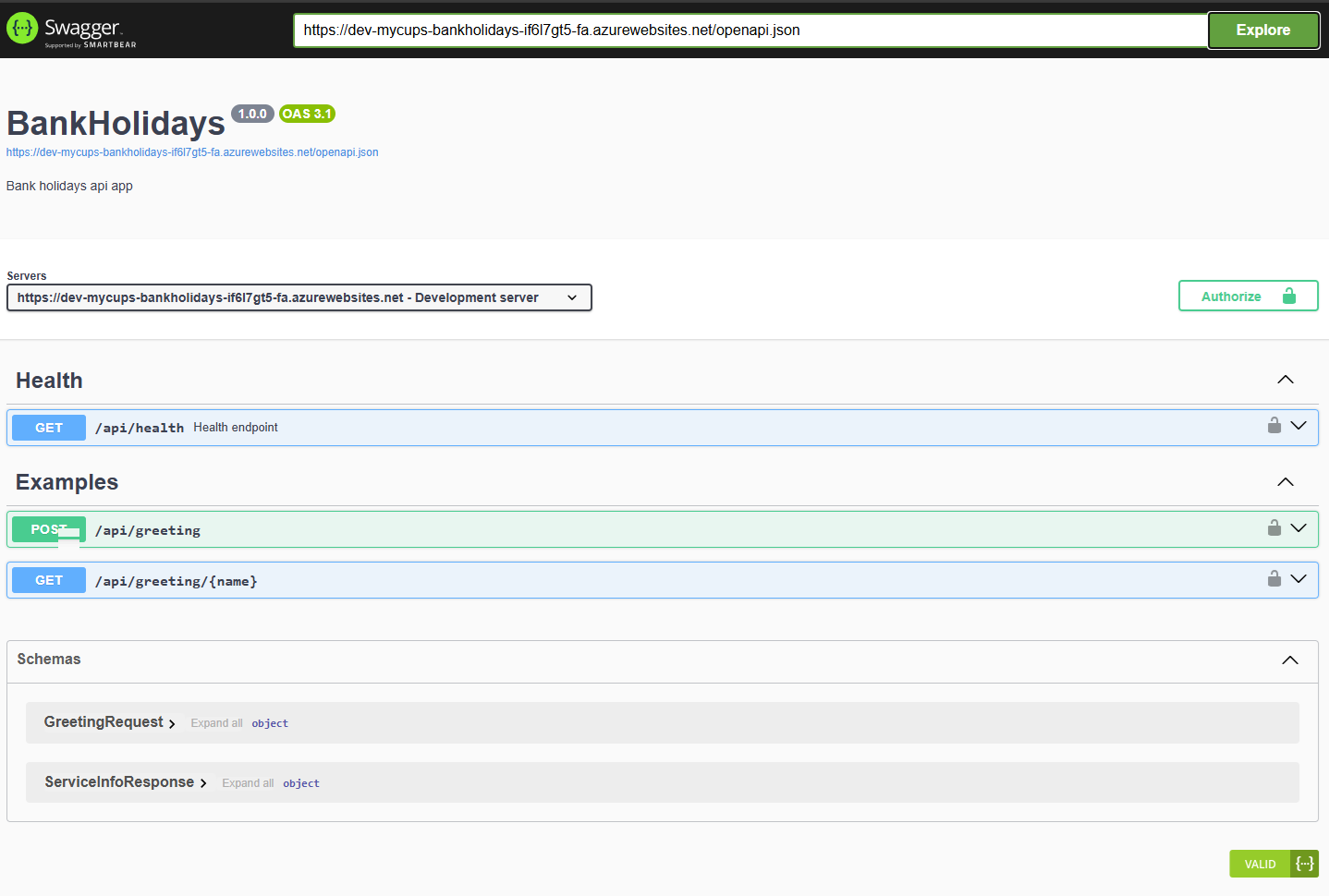
✅ Using Swagger UI is a fast, lightweight way to double-check your service's OpenAPI specification without deploying any extra tools.